Download as self extracting installation file (EXE-file)
Important download information:
- Download and save the SETUP.EXE file on your computer.
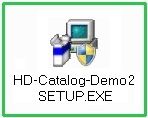
- When download is finished, start installation by double-clicking the SETUP.EXE file.
- Follow the installation instructions as displayed to install "HD-Catalog" on your computer.
- When installation is completed, you may start "HD-Catalog" by double-clicking the new symbol at your desktop.
Download as compressed installation file (ZIP-file)
In case of problems downloading or installing the above SETUP.EXE please download SETUP.ZIP file:
Important download information:
- Download and save the SETUP.ZIP file on your computer.
- When download is finished, extract content of the .ZIP file by right-clicking it.
- Start installation by double-clicking the extracted SETUP.EXE file.
- Follow the installation instructions as displayed to install "HD-Catalog" on your computer.
- When installation is completed, you may start "HD-Catalog" by double-clicking the new symbol at your desktop.
If you would like to use HD-Catalog to offer your own product range, please contact:
Software manufacturer / publisher
Voigt EDV-Systeme
Schmelzerstr.30
47877 Willich
Germany
Tel.: +49 (0) 2154 / 95 38 9-0
Fax: +49 (0) 2154 / 95 38 9-10
www.voigt-edv.de
E-Mail: info@voigt-edv.de
|

Software manufacturer / publisher